Drag. Drop. Keep playing.
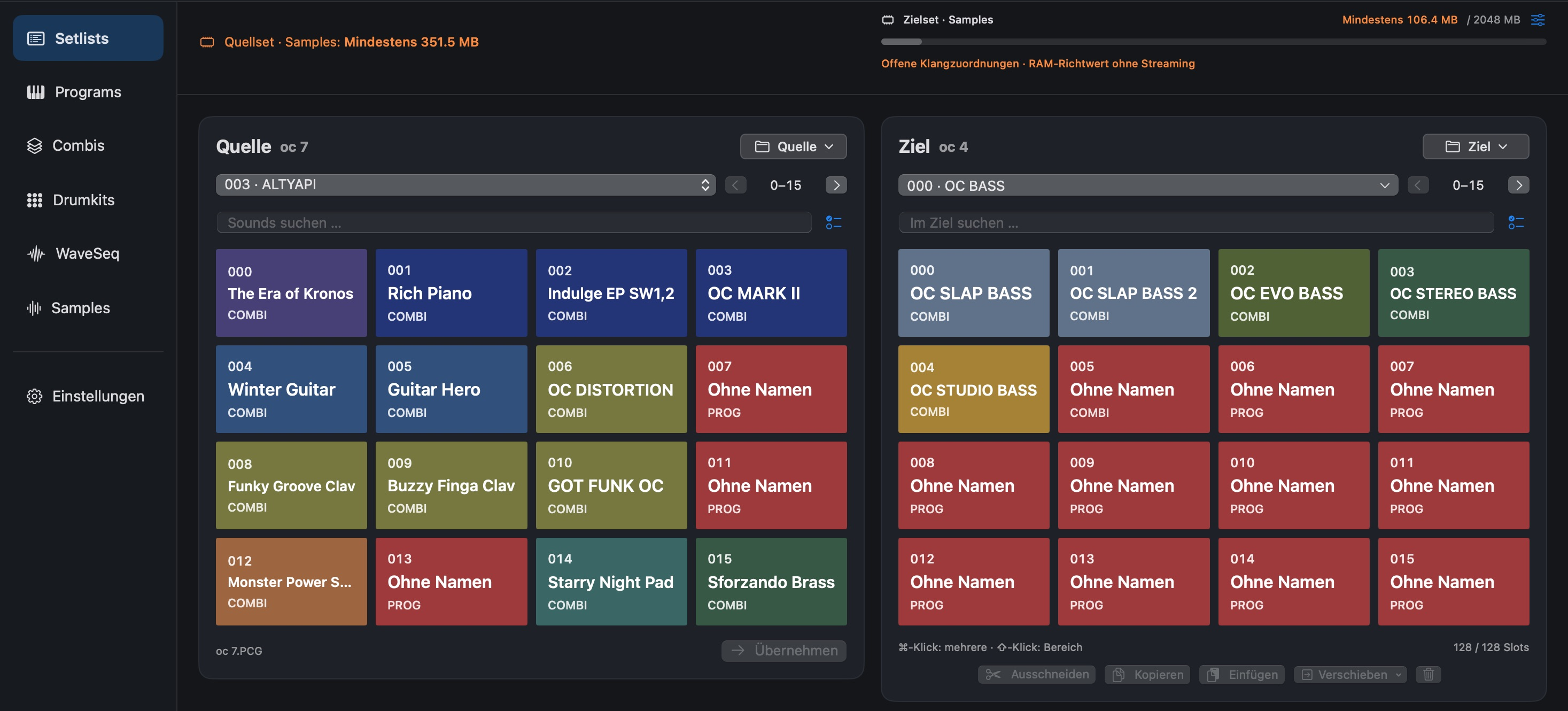
Bring in individual sounds or entire groups by drag and drop, then arrange them in the order you want.
 OC Audio
Mac
Your set by drag and drop.
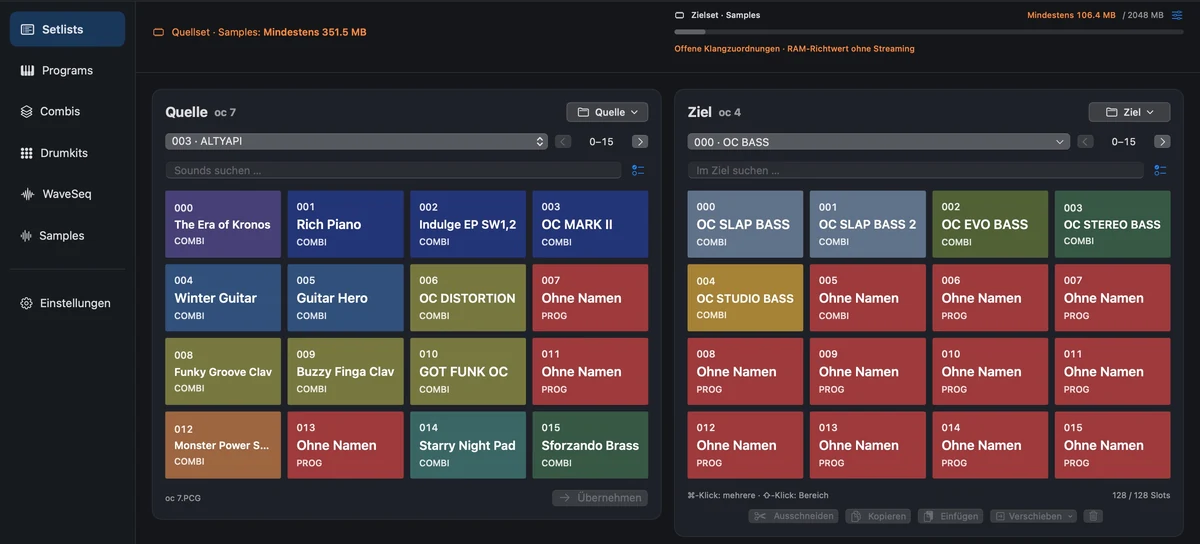
Easy editing for your Kronos set: drag sounds into the destination, arrange your setlist and customise it. The app takes care of supported sound dependencies and prepares the export, so you can focus on your set.
Export requires a licence purchase and activation. No export is possible before activation.
Video
Explore the workflow in the official demo video.
01 / Highlights
Build a new set from selected sounds or add to an existing complete collection. Source and destination stay visible side by side. A work project preserves your progress, saved sources and assignments so you can continue later.
Bring in individual sounds or entire groups by drag and drop, then arrange them in the order you want.
Supported Program, Combi and sample dependencies are assigned for you. Any unresolved items remain visible before export.
Let supported export tasks be resolved automatically. A report records decisions and possible sound changes.
02 / Features
From sound to controls: the key tools and how to use them.
View source and destination sets side by side, search sounds, select multiple slots and bring them across by drag and drop or rearrange them in the destination. Names, comments and colours help prepare your set order.
Compare Programs and Combis in separate source and destination tables. Open an existing complete destination set or build a new set from several saved sources.
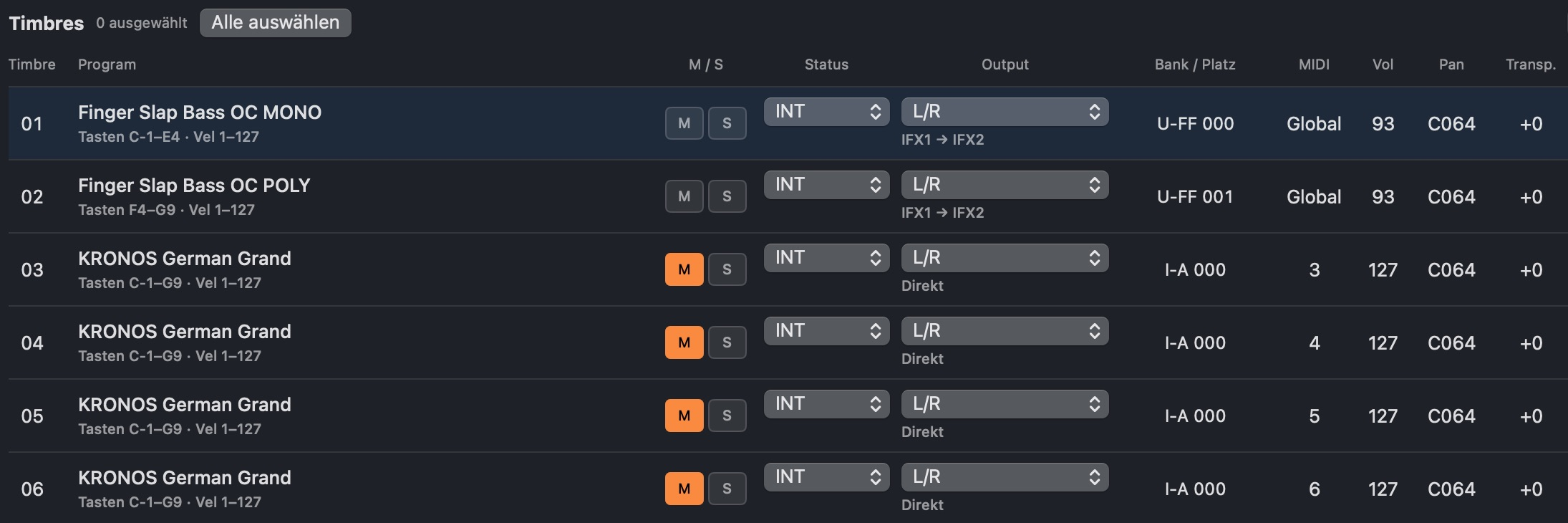
Adjust supported timbre values such as volume, pan, transpose, MIDI channel, and keyboard and velocity zones. Assign Programs and, if needed, create a custom Combi version for a slot.
Browse local KSC banks as multisample and sample structures, and preview samples. The memory overview shows data sizes and budget as a guide; it does not measure actual streaming behaviour on the instrument.
Keep sources, assignments and changes in the work project. Undo and Redo support editing. Suitable export packages can be reopened as work projects using the provided Open command.
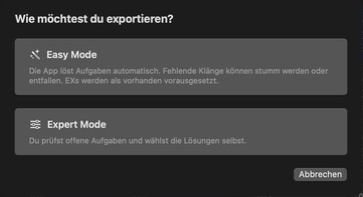
Create PCG, KSC and sample outputs, and KGE files where applicable for supported data. Easy Mode resolves supported sound tasks automatically; Expert Mode provides a manual task overview. Damaged sources and unresolved technical errors can still prevent export.
03 / Highlights
Arrange sounds in performance order and add slot comments as reminders for the next song.
Compare different source sets and bring the sounds you need into your destination, including supported resource links.
Open your complete destination set, keep its contents and add selected sounds from other sources.
04 / Workflow
Open the source PCG with its associated KSC and sample folders. Start a new destination set or open your existing complete collection.
Bring in sounds, arrange slots and adjust supported Combi and setlist settings. Review resource notices and save your work project.
Choose Easy or Expert Mode, review decisions and reports, and export to a new folder. Transfer the complete package and check it on your Kronos.
06 / Platforms
Standalone Mac app · Version 0.31.0 · Apple Silicon. Screenshots show project version 0.29.0.
Downloads
Kronos Set Manager 0.31.0 · Mac · Apple Silicon
macOS installer (.pkg) · 18.3 MB · Version 0.31.0
Download app ↓To export, you must purchase a licence and activate the app. Export is unavailable until activation. Opening, editing, previewing and saving work projects remain available. Licence purchases are not yet available.
PDF · German · 41 pages · 8.6 MB · 0.31.0
Download user manual ↓Additional space is required for sources, samples, work projects, exports and temporary data. Allow enough space for sources, output and temporary export data at the same time.
Mac
Now €99.00 · then regular price €149.00.
Total price incl. VAT.
To export, you must purchase a licence and activate the app. Export is unavailable until activation. Opening, editing, previewing and saving work projects remain available. Licence purchases are not yet available.
Try the trial version before buying. Export requires a licence purchase and activation.
07 / FAQ
Imported sources are preserved. Changes are tracked in the work project; export the prepared output to a new folder and keep your original sets as a backup.
The sample preview plays local samples. It does not reproduce the complete Kronos synthesis engines, effects or Combis. Check the finished sound on the instrument.
External EXs must actually be available and authorised on the destination device. Easy Mode assumes they are available for export; this does not verify a licence or installation. Automatic solutions can change the sound, so review the report.