Play and switch in time
Loop commands happen at musical boundaries. External MIDI Clock and transport keep playback in sync with your source; STOP/Panic is always close at hand.
 OC Audio

Mac · iPad
Your loops. In the musical moment.
Crazy Looper combines loaded audio loops with musical control. Start and switch loops in time, organise them into groups, and let suitable loops follow tempo and transposition. The app is being developed for Mac and iPad; platform differences and outstanding checks are identified separately.
01 / Highlights
The loop library is at the heart of the app: assign audio files to keys and groups, set their timing, and build an accompaniment. The on-screen keyboard, MIDI Learn and waveform view help with setup and performance. Setlists keep loops, assignments and settings together for the next session.
Loop commands happen at musical boundaries. External MIDI Clock and transport keep playback in sync with your source; STOP/Panic is always close at hand.
Tempo Follow uses time-stretching while preserving pitch. Musical loops can also follow the master transposition; drum and percussion groups are excluded.
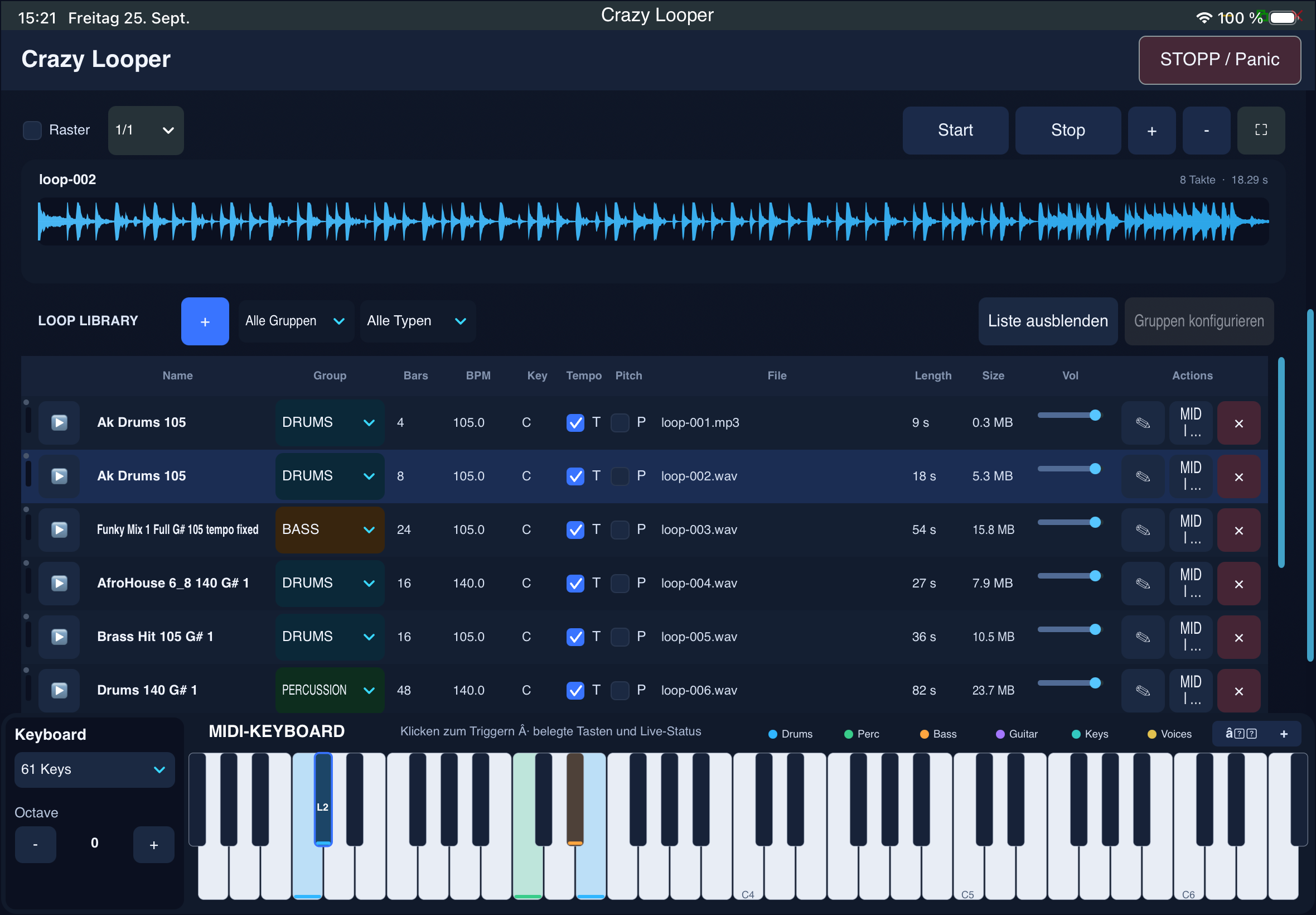
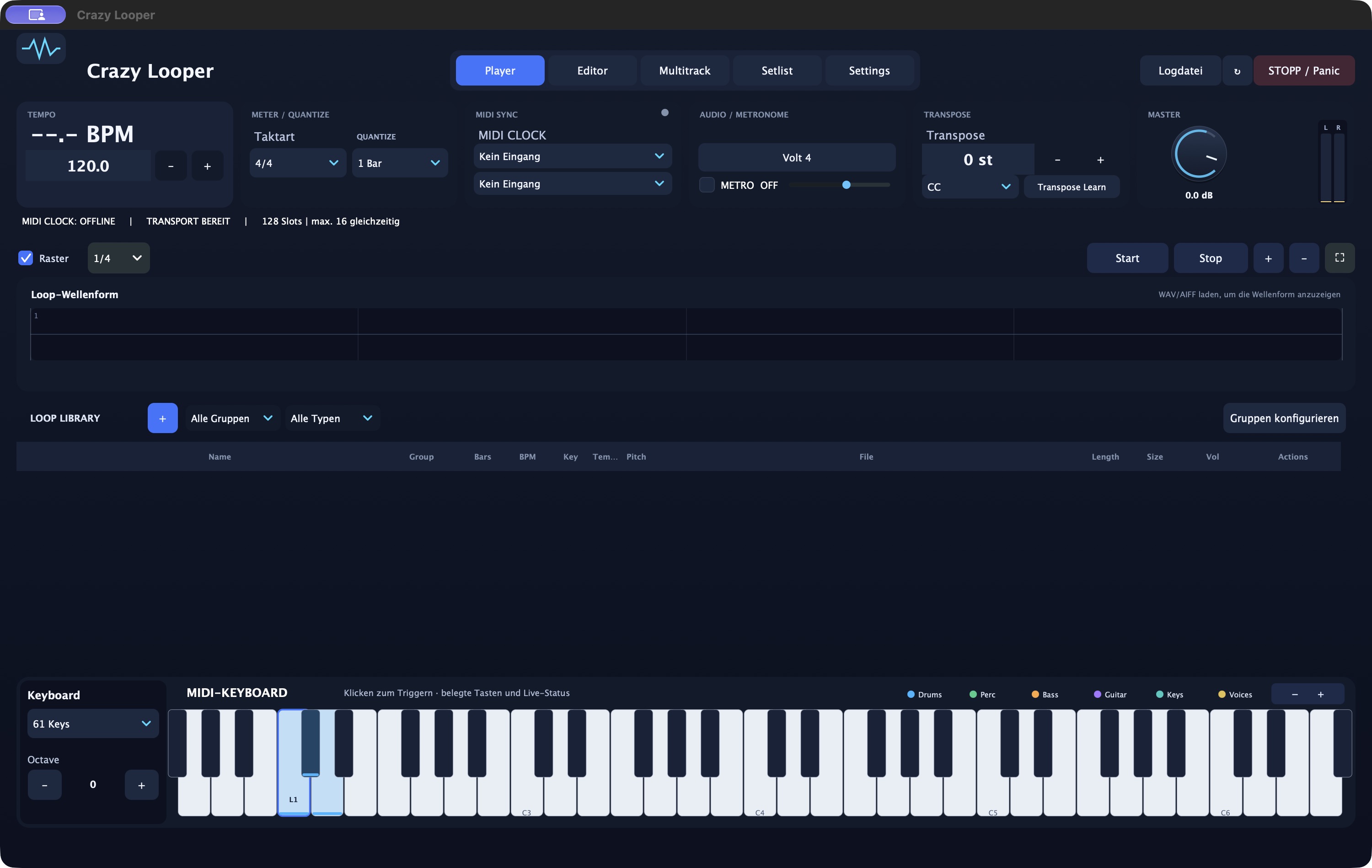
Groups, MIDI assignments and setlists turn imported loops into a reusable performance setup. Compare the Mac and iPad interfaces in the gallery.
02 / Features
From sound to controls: the key tools and how to use them.
Load audio loops, name them and assign them to groups. The waveform shows the selected loop; zoom and grid help you find your way around. The documented Mac import supports mono and stereo WAV and AIFF files.
Clock/transport and the trigger keyboard can use separate MIDI sources. Assign MIDI notes and channels or use MIDI Learn. Starts, stops and group changes are scheduled musically; MIDI Stop and Panic stop playback immediately in the processed audio stream.
Choose which loops can play together and how many voices a group can use. In a limited group, a new loop can replace the oldest active voice. Different groups let accompaniment parts play in parallel.
Enter each loop’s original tempo, time signature and bar length. Tempo Follow adjusts playback using time-stretching. Set the key and Transpose Follow to choose which musical loops follow the master transposition; drum and percussion groups are protected.
Save a session as a .crazyset with loops, groups, MIDI assignments and sound settings. The audio files are part of the setup and must travel with it. A project export tool for Mac/iPad transfer is documented; automatic cloud sync is not promised.
The current project includes per-loop level and EQ/Maximizer settings. On iPad, loop preview, a 5-band EQ and spectrum display are implemented. Practical touch, audio and MIDI approval of this editor state is still required.
03 / Highlights
Assign rhythm and instrument loops to different keys and trigger suitable accompaniment parts in time.
Switch between loops in the same group or combine independent groups to change your arrangement as you play.
Save loops and assignments as a setlist. Keep the related audio files together so your setup is complete the next time you load it.
04 / Workflow
Load your audio files and check their original tempo, key and bar length. Name the loops and assign them to suitable groups.
Choose the audio output, clock/transport source and trigger keyboard. Assign keys with MIDI Learn and set quantisation, Tempo Follow and transposition.
Start transport and trigger loops from the keyboard or buttons. Check group switching and stop behaviour, then save the prepared setup as a setlist.
06 / Platforms
Project capture · Crazy Looper · Mac
Project capture · iPad · earlier version
Mac
Now €29.00 · then regular price €49.00.
Total price incl. VAT.
The store is being prepared for sales. Mac version through this website · iPad separately on the App Store.
Crazy Looper for iPad

The iPad version is offered through the App Store. A direct link will follow. App Store pricing applies.
Try the trial version before buying. Export requires a licence purchase and activation.
07 / FAQ
Groups can limit how many loops play at once. A new loop can replace the oldest voice; the change happens at the planned musical boundary. Different groups can play in parallel.
Not in the documented version. Link support is prepared but disabled while platform approval is pending. Device and sync testing is still required. Available sync options and open items are listed separately.
A .crazyset file stores assignments and settings with references to audio. Bring the related files when moving the set. The documented export tool creates a transferable folder; this does not mean automatic transfer between devices.